Skip to content
Agency Pilot

Attribution

Know which leads made money

Put one script on the client's site. Every lead that comes in carries the channel, campaign, keyword and click that produced it. Record the jobs it turned into and Agency Pilot shows revenue and return on ad spend per client — then sends those sales back to Google Ads and Meta so they bid for customers, not form fills.

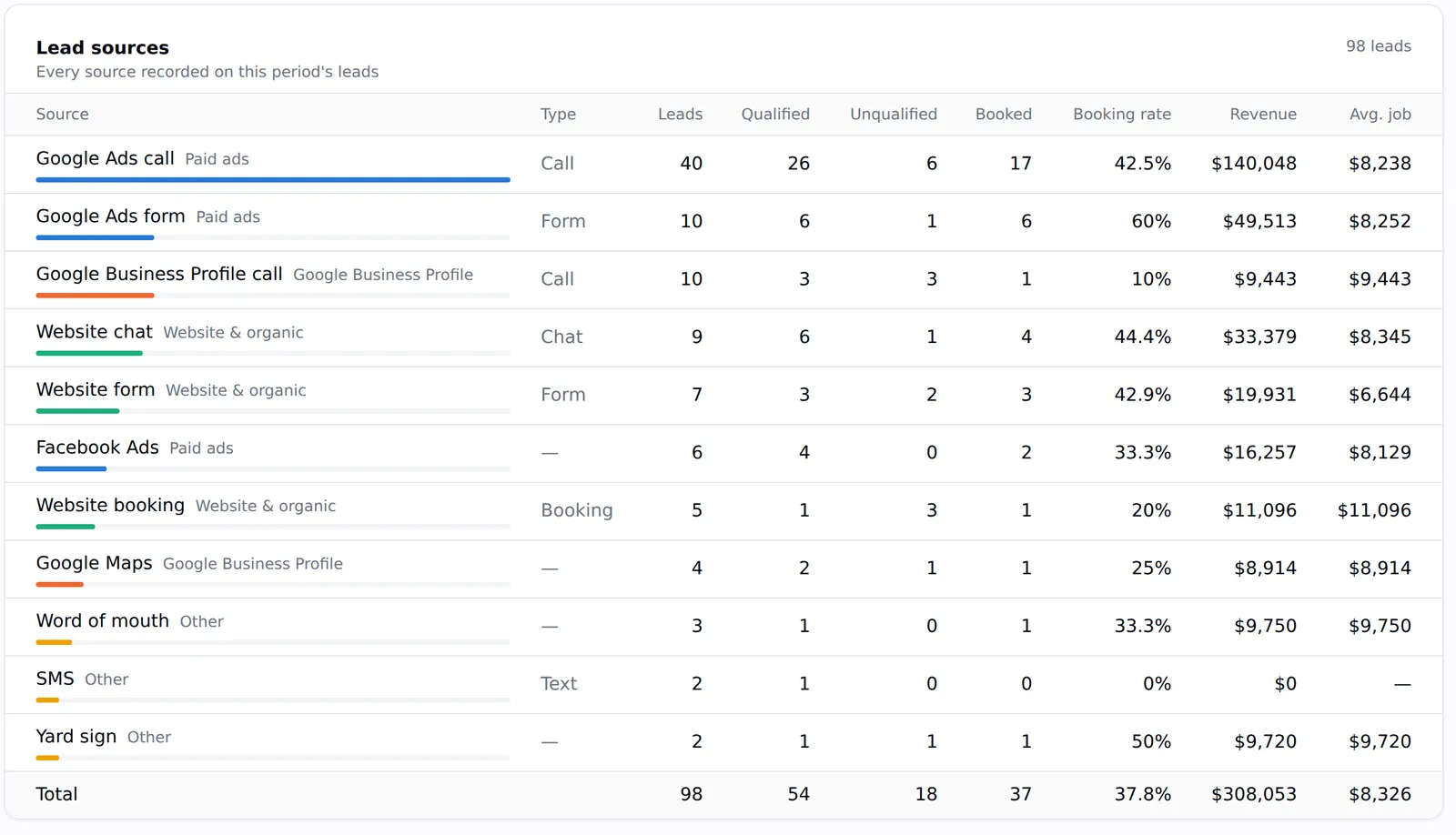
A lead sources table with leads, qualified, booked, booking rate, revenue and average job for Google Ads calls, forms, Business Profile calls, website chat and more
Leads, bookings and revenue by source for one client.

Every lead tagged

Eleven channels, first and last touch, UTMs, click IDs, keyword, match type, campaign, ad group and landing page.

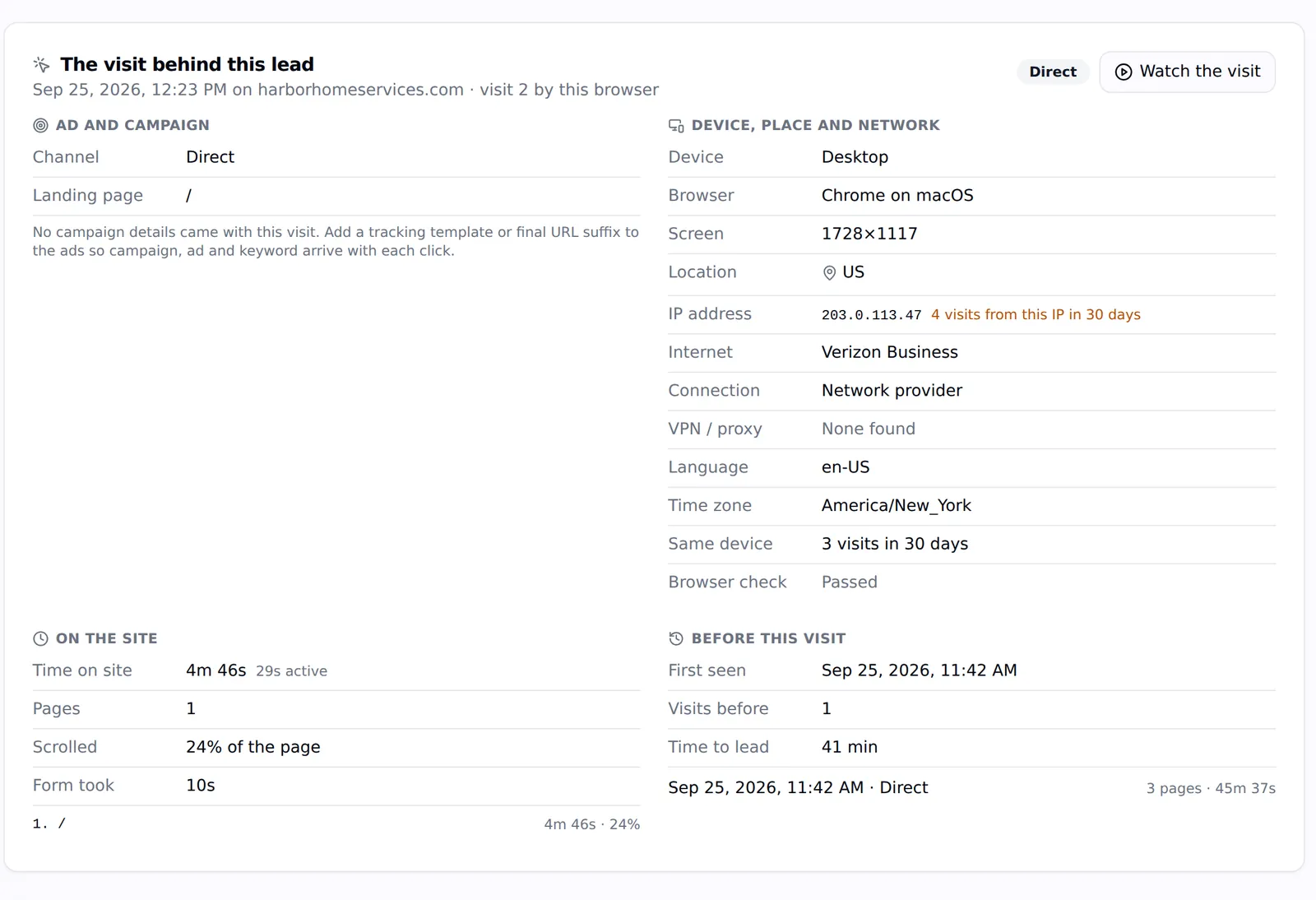
The visit behind the lead

Device, place, network, pages, time on site and the full visit timeline, for every website lead.

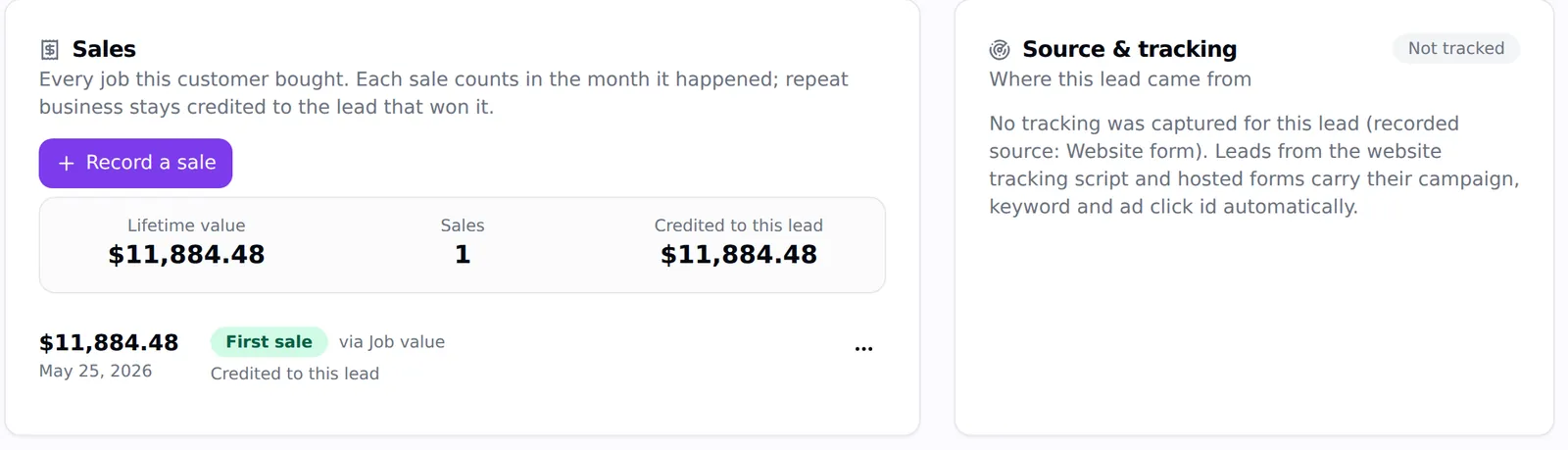
Sales on the lead

Record sales, repeat work and refunds; customers are matched by phone and email across leads.

ROAS and lifetime value

Revenue credited to ad leads against ad spend, new-customer ROAS and lifetime value per customer.

Sold jobs back to the ad platforms

Sales go to Google Ads as offline conversions and to Meta as Purchase events, retried automatically.

Clients can record sales

Clients update lead status and record a sale from their portal or the LeadPulse app.

One tag, every form

The tracking script is one line in the site's head, or a Custom HTML tag in Tag Manager. It remembers how each visitor first arrived (for 90 days) and the last paid or organic touch, and when they submit a form it fills hidden fields, captures the lead with its source, and merges repeat submissions within 30 minutes into the first one.

It works with the forms clients already have: any form with an email or phone field is captured, GoHighLevel and LeadConnector forms are tagged inside their iframes, and custom code can send a lead with one function call. Password forms and anything marked to ignore are skipped.

  • Click IDs: gclid, gbraid, wbraid, dclid, fbclid, msclkid, ttclid and li_fat_id
  • Ad parameters: keyword, match type, campaign, ad group, ad and placement
  • Hidden fields for the client's own CRM: add fields named gclid, utm_source, keyword and so on, and they fill themselves
  • Only the client's own sites (and sites you allow) can send leads; others are turned away and listed with an Allow button
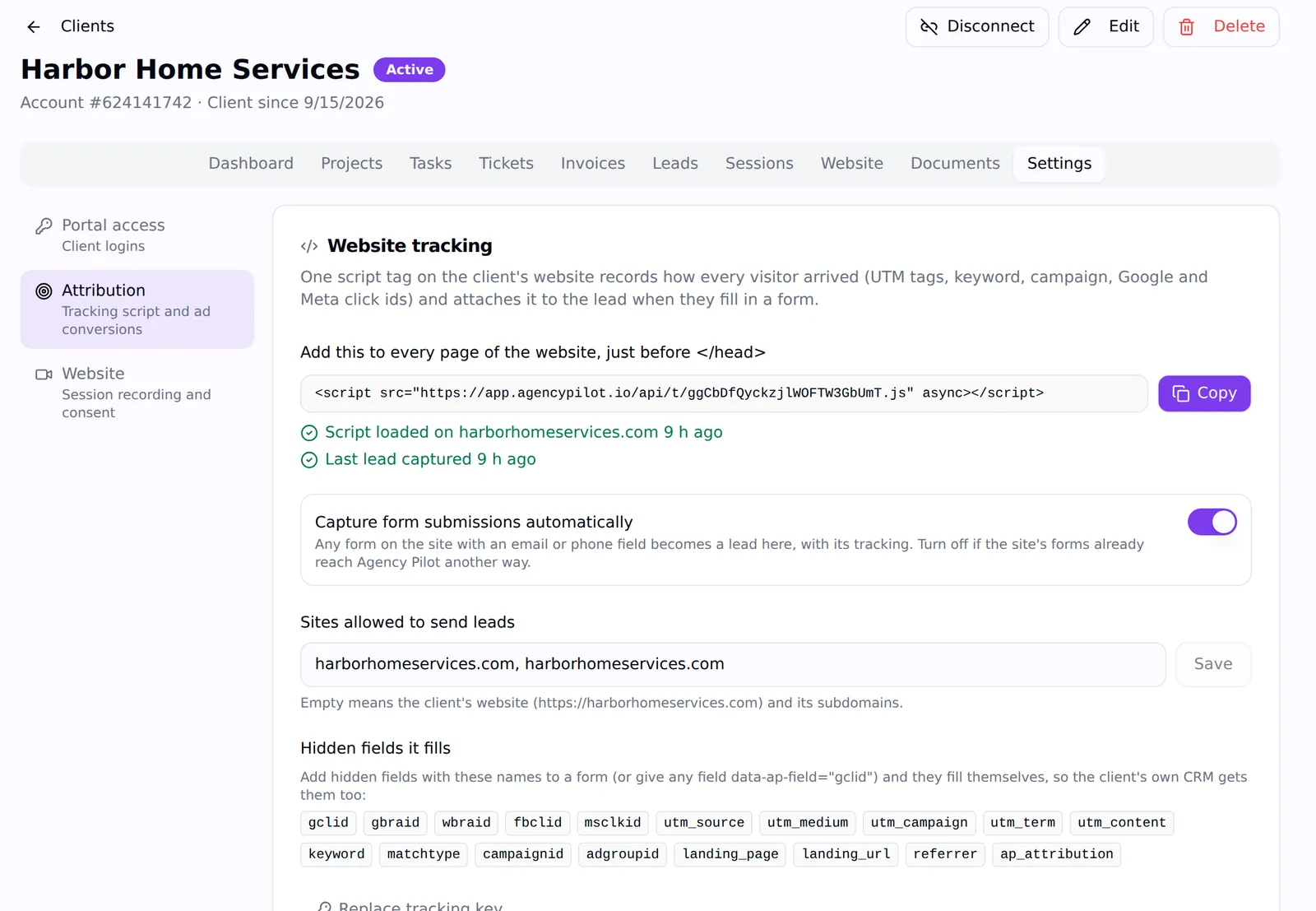
The Website tracking settings with the one-line script, capture toggle, allowed sites and hidden fields list
One script tag, automatic form capture and the hidden fields it fills.

Channels you can defend

Each lead is assigned one of eleven channels from its click IDs, UTMs and referrer: Google Ads, Microsoft Ads, Meta Ads, other paid, Business Profile, organic search, social, email, referral, direct or unknown. The lead keeps both its first touch and its last, so "found us on Google, came back through a Facebook ad" is on the record instead of argued about.

The visit behind a lead: channel, landing page, device, browser, location, network, time on site and pages
The visit that produced a lead, from the ad to the form.

From lead to revenue

Record a sale on any lead — quoted, sold or paid — and later repeat work or refunds. Customers are matched automatically by phone number and email, so a customer who calls twice and books three jobs is one customer with a lifetime value, and each sale counts in the month it happened.

Revenue is credited to the customer's most recent lead in the 90 days before the sale. That's what feeds ROAS, ROAS on new customers, revenue by source and the Progress Report.

The Sales card on a lead with lifetime value $11,884.48, one sale and the amount credited to the lead
Sales recorded on a lead, with lifetime value.

Teach the ad platforms what a customer looks like

Switch on sending for a client and every sale recorded after that goes back to the ad platform that produced it: to Google Ads as an offline conversion with the click ID and hashed contact details, and to Meta as a Purchase event through the Conversions API. The queue sends straight away and retries automatically, so Smart Bidding and Advantage+ optimise for revenue instead of form fills.

What this does not do

Better to find this out here than three weeks in.

  • Calls are attributed when they come through a connected source (Business Profile, Google Ads call assets or your call tracking); the script doesn't swap phone numbers on the page.
  • Revenue depends on sales being recorded — by your team, the client in their portal or app, or sent in by webhook through an automation.
  • Refunds and adjustments adjust reported revenue; they aren't sent back to the ad platforms.

Questions

What is lead attribution?
Recording where each lead came from — the channel, campaign, keyword and click — so you can connect marketing spend to the enquiries and sales it produced.
Does it work with WordPress, Wix, Squarespace and GoHighLevel sites?
Yes. It's one script tag, and it captures ordinary forms as well as GoHighLevel and LeadConnector forms.
How is ROAS calculated?
Revenue credited to leads from paid channels, divided by Google and Meta ad spend for the period. ROAS on new customers counts only first sales.
Can I send offline conversions to Google Ads?
Yes. Sales are sent as offline conversions with the click ID and hashed email and phone, and retried until Google accepts them.

Put your agency on autopilot

Start a 14-day trial with 300 credits. Add your first client and send an onboarding link today.