
Integrations · Google
Get access to a client's Google Ads account
Your client opens your onboarding link, signs in with Google and picks the ad account. Agency Pilot sends a user invitation from that account to your agency's Google login at the access level you chose — Standard, Read only or Admin — and the same connection starts pulling campaign data into your reports.
Google Ads at a glance
- How access is granted
- Automatically. A user-access invitation is sent from the client's account to your Google login the moment they connect.
- Access levels you can request
- Standard (default), Read only or Admin. Billing and Email-only access are never requested.
- What your client needs
- Admin access to the Google Ads account, and a Google login that can see it.
- Time for your client
- About a minute: sign in, approve Google's consent screen, pick the account.
- Feeds into Agency Pilot
- Spend, clicks, impressions, conversions, cost per lead, campaigns and search terms in Mission Control and the client dashboard. Sold jobs can be sent back as offline conversions.
- Works with manager accounts
- Yes. You can still link the account under your MCC later; the invitation gives you access in the meantime.
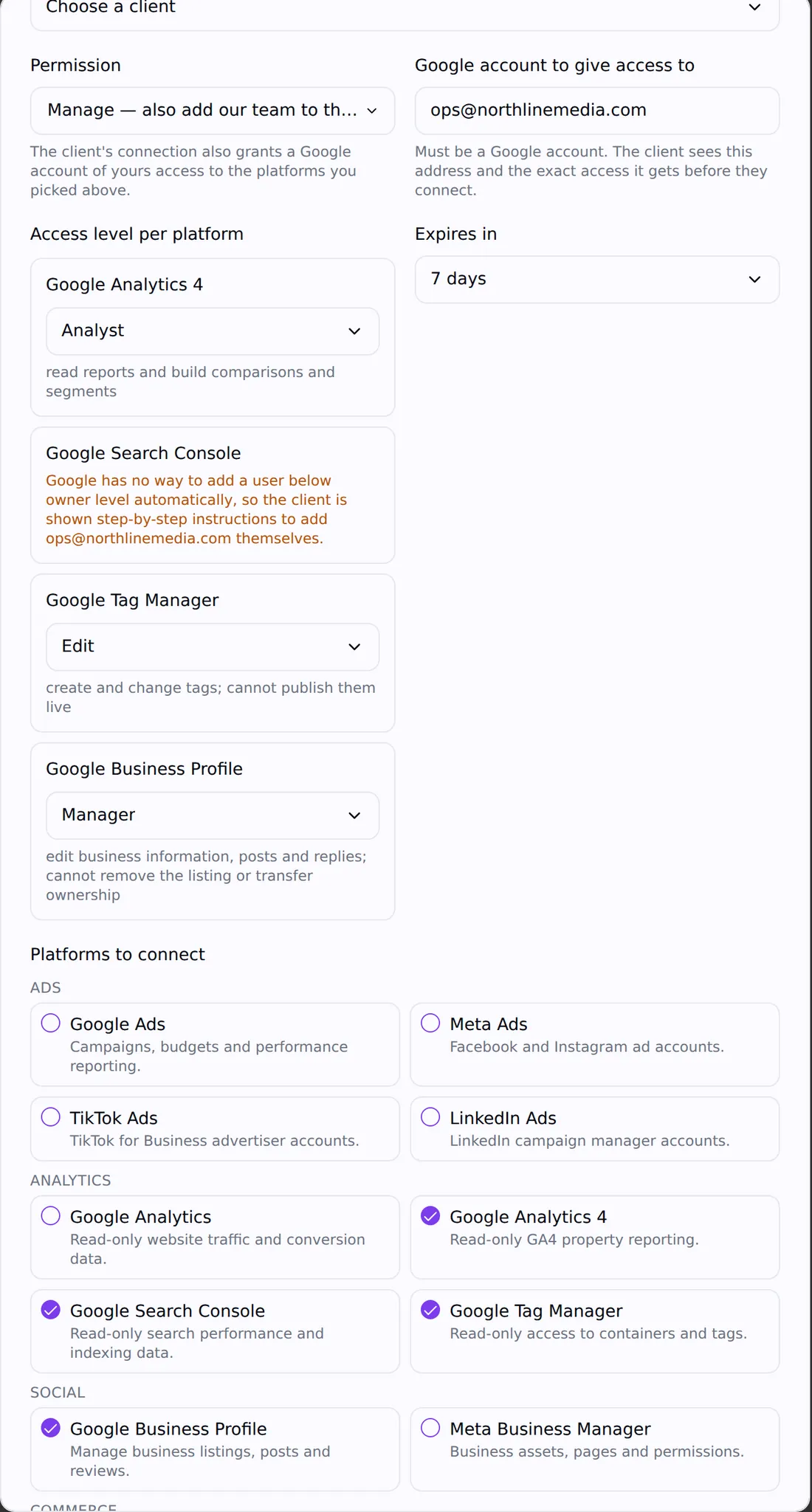
What your client does
On the onboarding link you send. No password is ever asked for or shared.
- 1
Opens the onboarding link and reads the box that says exactly what your agency will be able to do.
- 2
Clicks Connect next to Google Ads and signs in with the Google login they use for Ads. Google shows its own consent screen listing exactly what Agency Pilot is asking for. The client can read it before agreeing, and every Google product on the link is covered by that one screen.
- 3
If that login can see more than one ad account, picks the right one and clicks Share this one. Nothing is granted until they choose.
- 4
Sees Google Ads marked Connected. When every platform on the link is connected, the page confirms they're all set.
What happens on your side
- An invitation goes from the client's Google Ads account to the agency Google login you set up under Onboarding → Connected accounts, at the level you picked for this link.
- You accept it from the email Google sends (or from the Google Ads account picker). Until then the connection shows Invited.
- If you listed more than one Google login for your team, each one gets its own invitation on the same account. If one fails, the connection shows Partly added and names who is missing.
- Campaign data starts syncing into the client's record, backfilling up to 400 days on the first sync and refreshing hourly after that.
- You get a notification when the link is complete, and every step is written to the link's event log.
Google Ads access levels
Google Ads gives every user one access level per account. Here is what each one means and which ones a link can ask for.
| Role | What it allows | On an Agency Pilot link |
|---|---|---|
| Admin | Everything Standard can do, plus managing users, linking accounts and changing account settings. | Offered — use sparingly |
| Standard | Create and edit campaigns, ads, keywords and budgets; see billing. | Offered — the default |
| Read only | See campaigns, reports and settings. Cannot change anything. | Offered — good for audits and prospects |
| Billing | Billing settings and invoices only. | Never offered |
| Email only | Receives notification emails and reports. No sign-in access. | Never offered |
Doing it by hand in Google Ads
If a client would rather add you themselves, these are the steps in Google Ads. The link does exactly this for them.
- 1
Sign in to Google Ads and open the account.
- 2
Click Admin in the left menu, then Access and security.
- 3
On the Users tab, click the blue plus button.
- 4
Enter the agency's email address and choose an access level (Standard is usual).
- 5
Click Send invitation. The agency accepts from the email Google sends.
To link the account to a manager account instead, the agency sends a link request from its MCC (Accounts → plus → Link existing account) using the client's 10-digit customer ID, and the client approves it under Admin → Access and security → Managers.
On your side
- 1
Set your agency's Google login once, under Onboarding → Connected accounts. Every new link uses it unless you change it.
- 2
Create a link, tick Google Ads, choose Manage and the access level, and copy the link to your client.
- 3
Accept the invitation email when it arrives. Connected accounts shows the result under Our access: Invited, Added or Already had access.
- 4
Open the client's record to see Google Ads numbers in their dashboard and in Mission Control.
What the Google Ads connection feeds
- Ad spend, clicks, impressions, conversions and cost per lead in Mission Control, compared with the previous period or last year.
- The client's own dashboard and portal: the same numbers, without your agency's internal notes.
- The 50 top campaigns and 50 top search terms for the period, fetched live.
- Alerts when a client has enabled campaigns but no spend for three days, or spend with no ad leads.
- Sold jobs sent back to Google Ads as offline conversions with the click ID and hashed contact details, so Smart Bidding optimises for revenue, not form fills.
- A daily cross-check of Google's own click records against visits, for click-fraud protection.
Exactly what we ask Google Ads for
A link only requests the permissions the platforms on it need. Nothing here is used for anything other than the reason next to it. More on how we handle access.
| Permission | Why |
|---|---|
| adwords | Reads campaign performance for reports, and — only on a link that asks for access — sends one user-access invitation to your agency's Google login. |
| datamanager | Only when you switch on sold-job uploads for a client: sends those sales to their Google Ads account as offline conversions. |
| openid, email, profile | Shows you and the client which Google login a connection belongs to. |
Removing access later
- 1
Your agency's user access stays until the client removes it: Admin → Access and security → Users → the three-dot menu next to your email → Remove access.
- 2
The reporting connection is separate. Either side can end it: the agency with the trash icon under Onboarding → Connected accounts, or the client at myaccount.google.com → Security → Your connections to third-party apps → Agency Pilot → Delete all connections.
- 3
Ending the reporting connection stops syncing immediately. It does not remove the user access Google already granted to your team.
If something doesn't work
The client doesn't see their ad account after signing in
They signed in with a different Google login from the one that has access to Ads. Ask them to use Connect again and choose the login they use at ads.google.com.
The connection says the client isn't an admin
Only admins can invite users. Ask whoever owns the account (often the business owner or a previous agency) to open the link, or to upgrade the client's own access first.
The invitation email never arrived
Check the address set under Onboarding → Connected accounts and your spam folder. Pending invitations are also visible in the Google Ads account picker when you sign in with that login.
Our access says Already had access
Your login was already a user on that account, so no new invitation was needed. Nothing is wrong.
The account sits under another agency's manager account
That doesn't block a direct user invitation. If you also want it under your own MCC, the client can accept your link request — an account can be linked to more than one manager.
Google Ads: common questions
- Do I need a Google Ads manager (MCC) account?
- No. The link invites your agency's Google login directly to the client's account. If you run an MCC you can still link the account to it; the two are independent.
- Which access level should I ask for?
- Standard for accounts you will manage, Read only for audits and prospects. Ask for Admin only if you genuinely need to manage users or account links — clients are more comfortable approving the lowest level that does the job.
- Does Agency Pilot ever see my client's Google password?
- No. The client signs in on Google's own page. Agency Pilot receives a token scoped to the permissions shown on Google's consent screen, stored encrypted, and never a password.
- What happens to my access if I cancel Agency Pilot?
- Your agency's user access is granted inside Google Ads, so it stays until the client removes it. Only Agency Pilot's reporting connection ends.
- Can I get access for several people at my agency?
- Yes. List several Google logins under Onboarding → Connected accounts and each one gets its own invitation on the same account.
- Can the client connect Google Analytics and Business Profile at the same time?
- Yes. All the Google products on a link share one consent screen, so the client signs in once.
- Can I send sold jobs back to Google Ads?
- Yes. On the client's Attribution settings, start sending and every recorded sale after that goes to Google Ads as an offline conversion, retried automatically if Google is slow to accept it.
Keep going
Related integrations
Get Google Ads access without chasing logins
One onboarding link covers every platform your client uses. Start a free trial and send your first link today.