
Skip to content
Agency Pilot

Reporting

Client reports that tell you when they're read

Monthly progress reports, geo-grid visibility and history, SEO audits and custom report views — branded with your logo and colours, scheduled or sent as a link, visible in the client's portal. And unlike a PDF in an inbox, you know whether anyone read it.

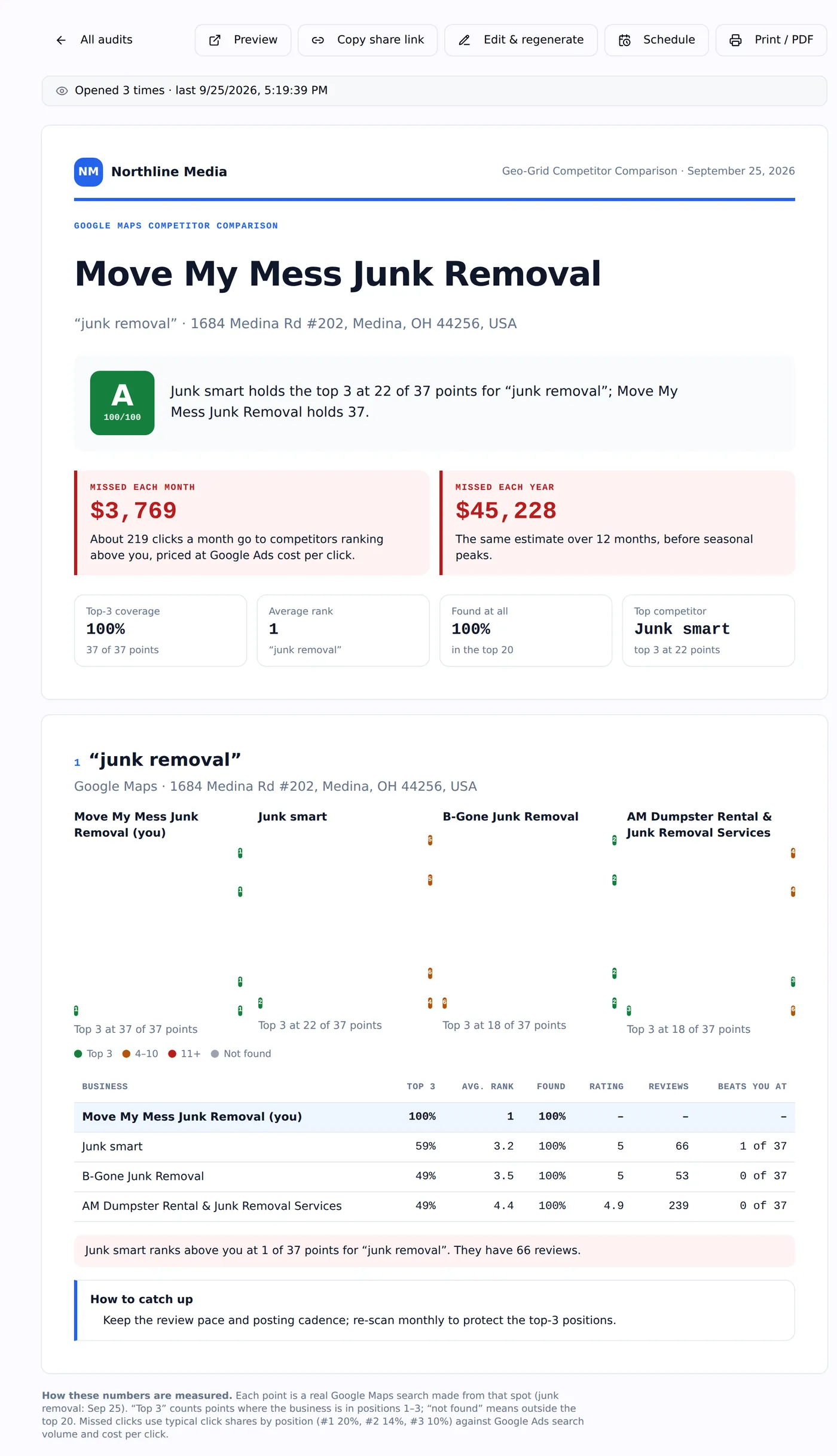
A branded Agency Pilot report with the agency name, a grade and missed revenue
Your logo, colours and contact details on every report.

Progress Report

Leads and revenue from search, return on your fee, rankings, reviews, site health, AI visibility and work completed.

Geo-grid reports

Visibility, competitor comparison and ranking history, built from your scans.

Scheduled delivery

Weekly or monthly; the share link is emailed automatically.

Opened alerts

Know when the client opens the report, and when they come back to it.

In their portal

Mark a report visible and it's waiting in the client's portal and app.

Custom views

A report builder for tables, charts and pivots across clients, projects, leads and finances.

The report that answers "what are we paying for?"

The Progress Report is built for the monthly call. It starts with the numbers the owner cares about — leads and revenue from search and the return on your fee — then shows map coverage and rankings moving, reviews, site health, AI visibility and the work your team completed that month.

Because leads and sold jobs live in Agency Pilot, the revenue figures are the client's own, not an estimate.
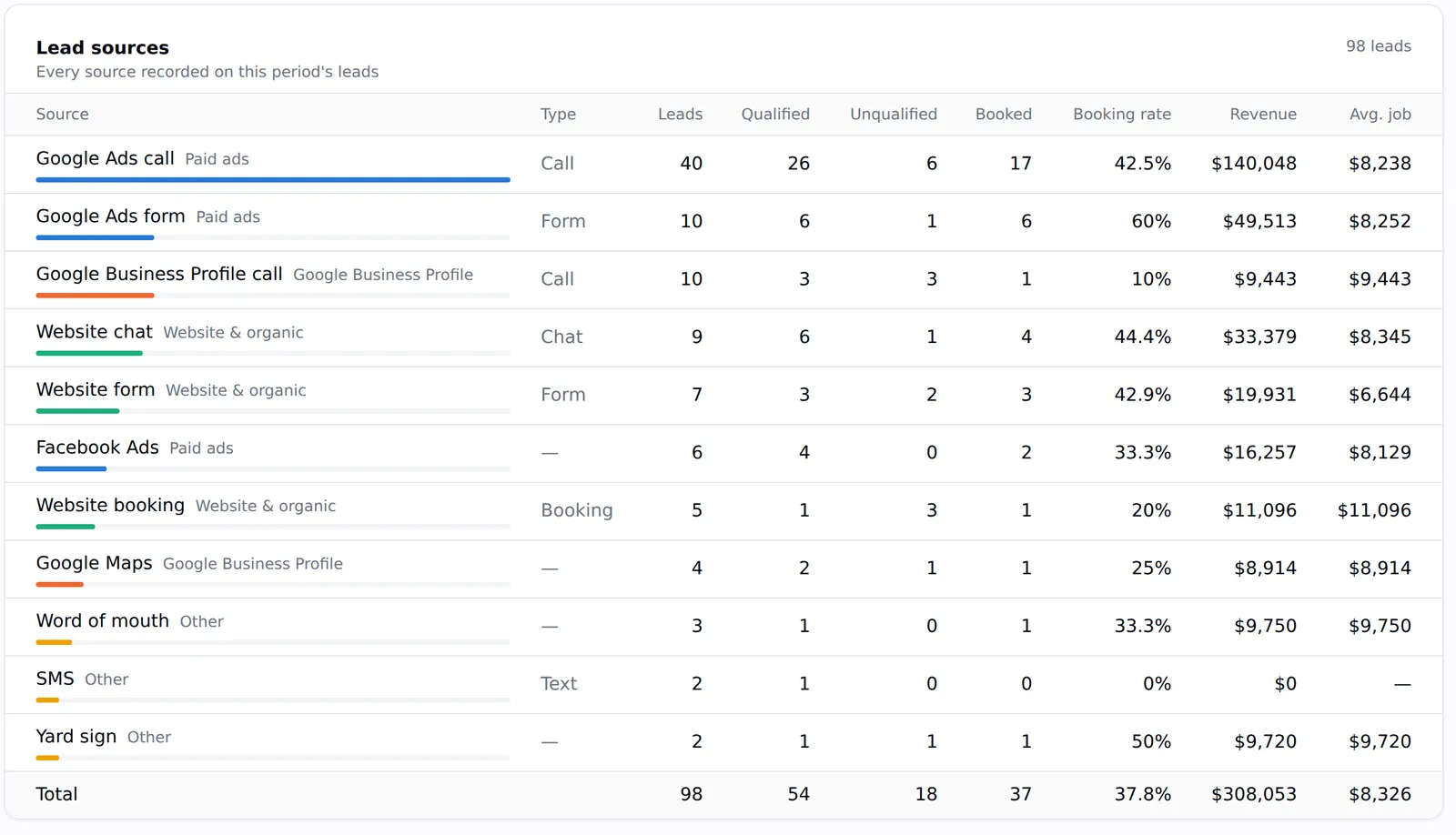
A lead sources table showing leads, qualified, booked, booking rate, revenue and average job by source
Leads and revenue by source — the numbers behind the Progress Report.

Your brand, on every report

Set your logo and brand colour once in Settings, and every report and share page carries them along with your website, phone and email. Reports print cleanly and save to PDF.

What this does not do

Better to find this out here than three weeks in.

  • Reports live on an Agency Pilot share link with your branding, not your own domain.
  • Report-builder views are for on-screen use and sharing to the portal; scheduled email delivery is for SEO and geo-grid reports.

Questions

Can clients see reports without logging in?
Yes — share links open without a login. Reports you mark visible also appear in the client's portal.
How do opened alerts work?
The first time a real person opens a report you and your admins are notified, and again if they return a day or more later. Bots and link previews are ignored.

Put your agency on autopilot

Start a 14-day trial with 300 credits. Add your first client and send an onboarding link today.